
The Ideal Distance Between Your Sofa and TV for Optimal Viewing
Finding the right spot for your television involves more than plugging it in: it's a balance between technical precision and building a space you actually enjoy sitting in. A misaligned layout tends to leave you with cramped walkways, a stiff neck, or a room that feels dominated by a glowing black rectangle. Here's the math, the furniture proportions, and the practical design details that help you land on a setup that protects your eyes while still looking intentional.
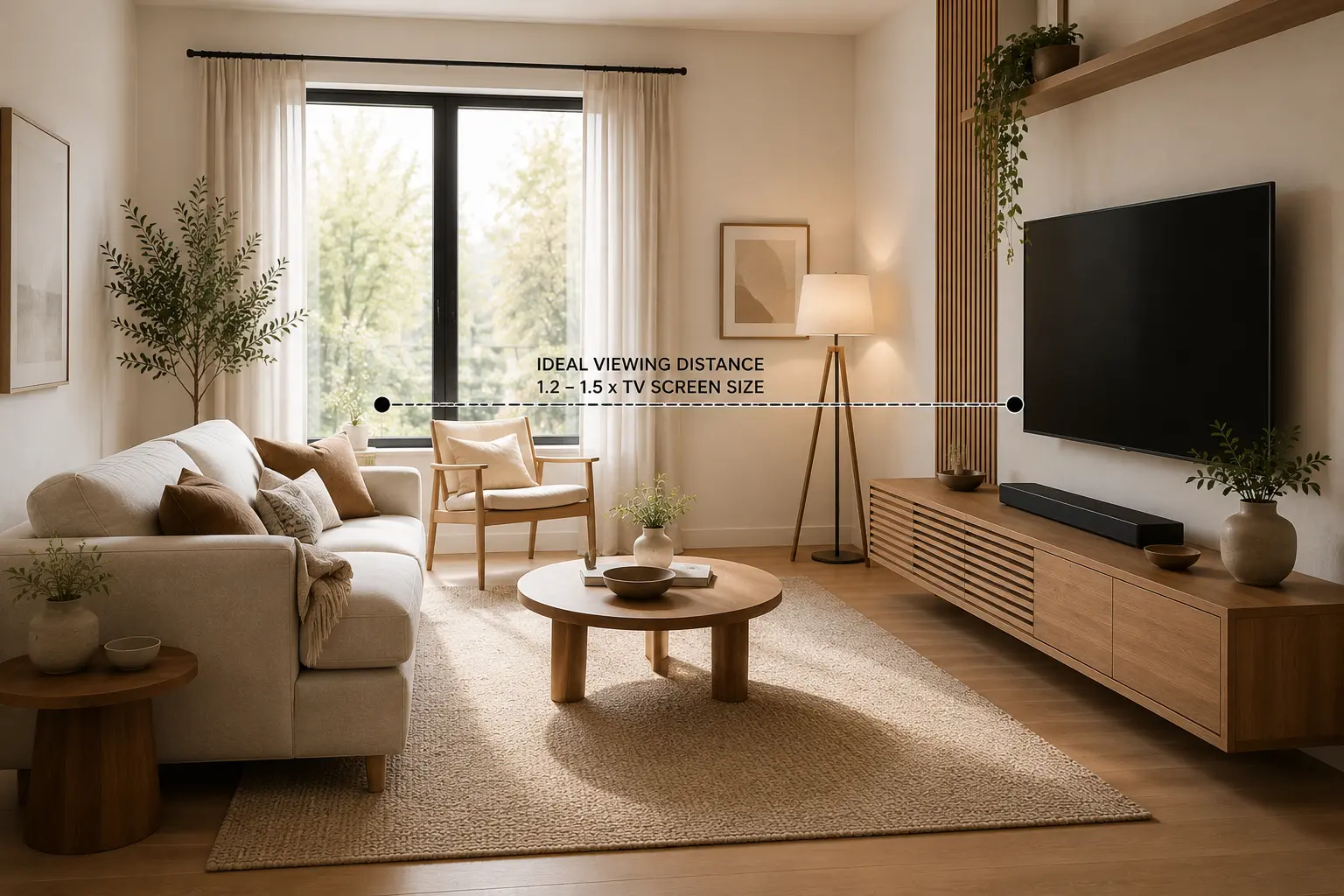
The Science of Spacing: Why Viewing Distance Matters
Getting viewing distance right comes down to balancing mathematical precision with human comfort. Sit too close, and your eyes are forced to constantly adjust within a limited field of vision, a common cause of eye strain, headaches, and, on lower-resolution content, distracting visible pixels.
Sit too far away, and you lose the immersive experience a good display is built for. Fine detail on a 4K screen becomes harder to appreciate, and squinting to compensate brings its own fatigue. Finding that sweet spot means your living room supports how you actually watch, without compromising your health or the room's overall design.
The Formula: Calculating Your Ideal Sofa-to-TV Distance
4K Ultra HD has changed the math on living room layouts. Back when 1080p was standard, the rule of thumb was to sit at three times the screen's diagonal size to avoid seeing the pixel grid. Today's much higher pixel density means you can sit noticeably closer, which makes it possible to fit a larger screen into a smaller room without losing clarity.
The go-to guideline for modern screens is a 1.2 to 1.5 multiplier: measure your TV's diagonal size and multiply it by a factor between 1.2 and 1.5 to get your ideal viewing distance in inches.
Keep in mind that comfortable distance is also shaped by what you watch. RTINGS' 40-degree field of view suits immersive movie nights and mixed-use gaming, while sports fans often prefer sitting a bit farther back, closer to the SMPTE 30-degree standard, so they can track fast movement without turning their head constantly.
Cheat Sheet: Recommended TV Distances by Screen Size
Use the table below as a starting baseline for modern 4K televisions. One note: measure from the actual position of your head against the backrest, not the front edge of the sofa cushion.
| TV Size (Diagonal) | Recommended Viewing Distance (4K UHD) | Ideal Room Application |
|---|---|---|
| 43-inch | 4.5 – 5.5 ft (1.4 – 1.7 m) | Bedrooms, small urban apartments, home offices |
| 50-inch | 5.0 – 6.5 ft (1.5 – 2.0 m) | Small to medium living rooms, galley layouts |
| 55-inch | 5.5 – 7.0 ft (1.7 – 2.1 m) | Standard residential living rooms |
| 65-inch | 6.5 – 8.5 ft (2.0 – 2.6 m) | Open-concept spaces, medium to large living rooms |
| 75-inch | 7.5 – 9.5 ft (2.3 – 2.9 m) | Large living rooms, dedicated media spaces |
| 85-inch | 8.5 – 10.5 ft (2.6 – 3.2 m) | Dedicated home theaters, expansive great rooms |
| 98-inch | 9.5 – 12.0 ft (2.9 – 3.7 m) | Custom cinematic environments, large luxury spaces |
The Neck Test: Determining the Perfect TV Height
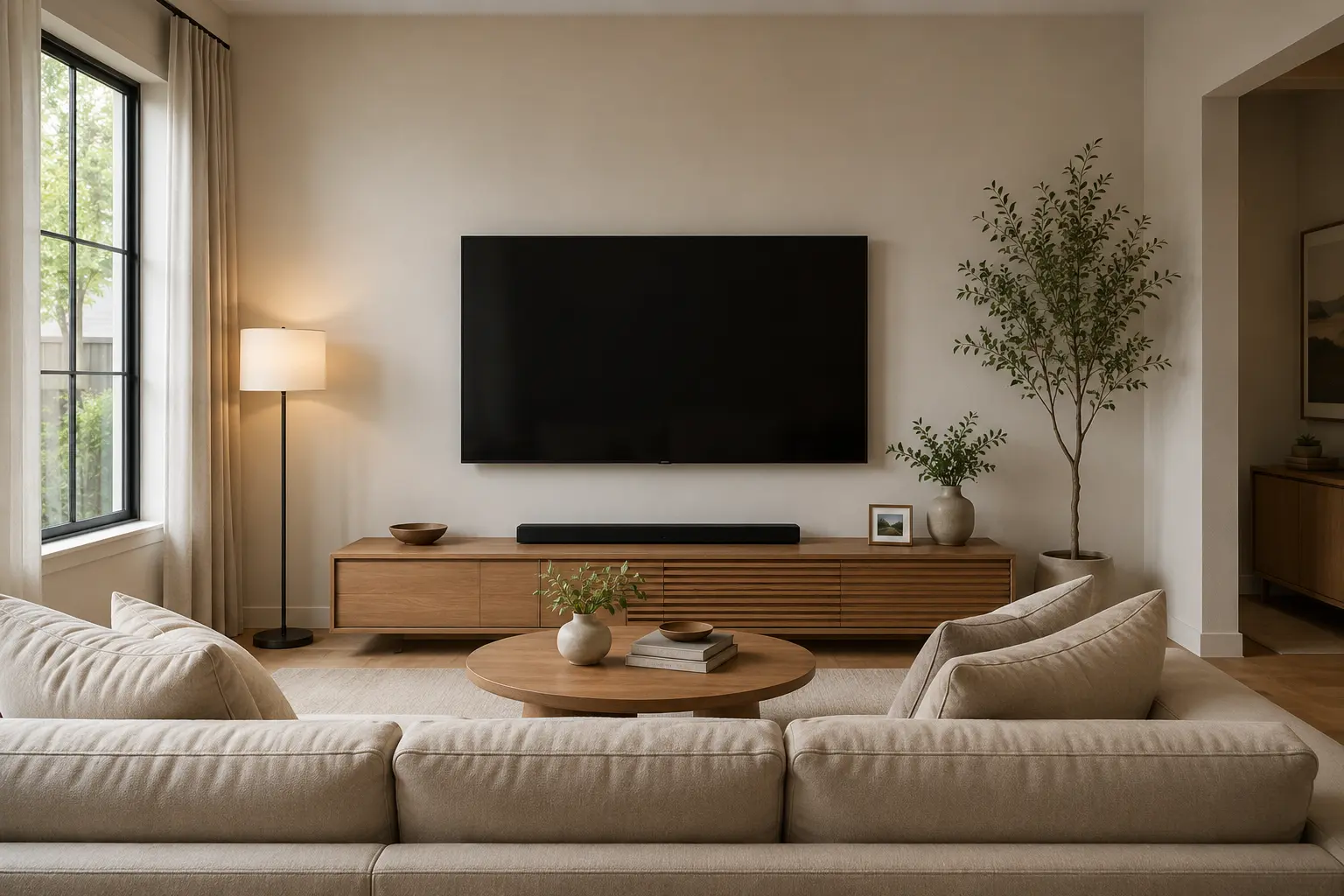
Once horizontal distance is sorted, posture is next. One of the most common mistakes in modern homes is mounting the TV too high, often above a fireplace mantle in an attempt to mimic a sports bar. Tilting your head upward for long stretches leads to chronic neck discomfort and throws off your body's natural alignment.
The rule to follow is the "Eye-Level Rule": the center of the screen, or slightly below center, should land at your eye level while seated on your primary sofa.
For an average adult on a standard sofa with an 18-inch (45 cm) seat height, seated eye level typically falls between 42 and 43 inches (106–109 cm) from the floor, so that's roughly where the screen's center should sit. The bedroom is the exception: because you're usually reclined, the TV should be mounted higher, around 55 to 65 inches (140–165 cm) to the screen's center, to match that more relaxed, upward gaze.
Balancing the Room: Furniture Spacing Around Your TV
A television works best as one piece of the room's furniture, tied together with thoughtful spacing and material choices, not as an isolated gadget sitting on its own.
Matching Your TV Stand to Your Screen Size
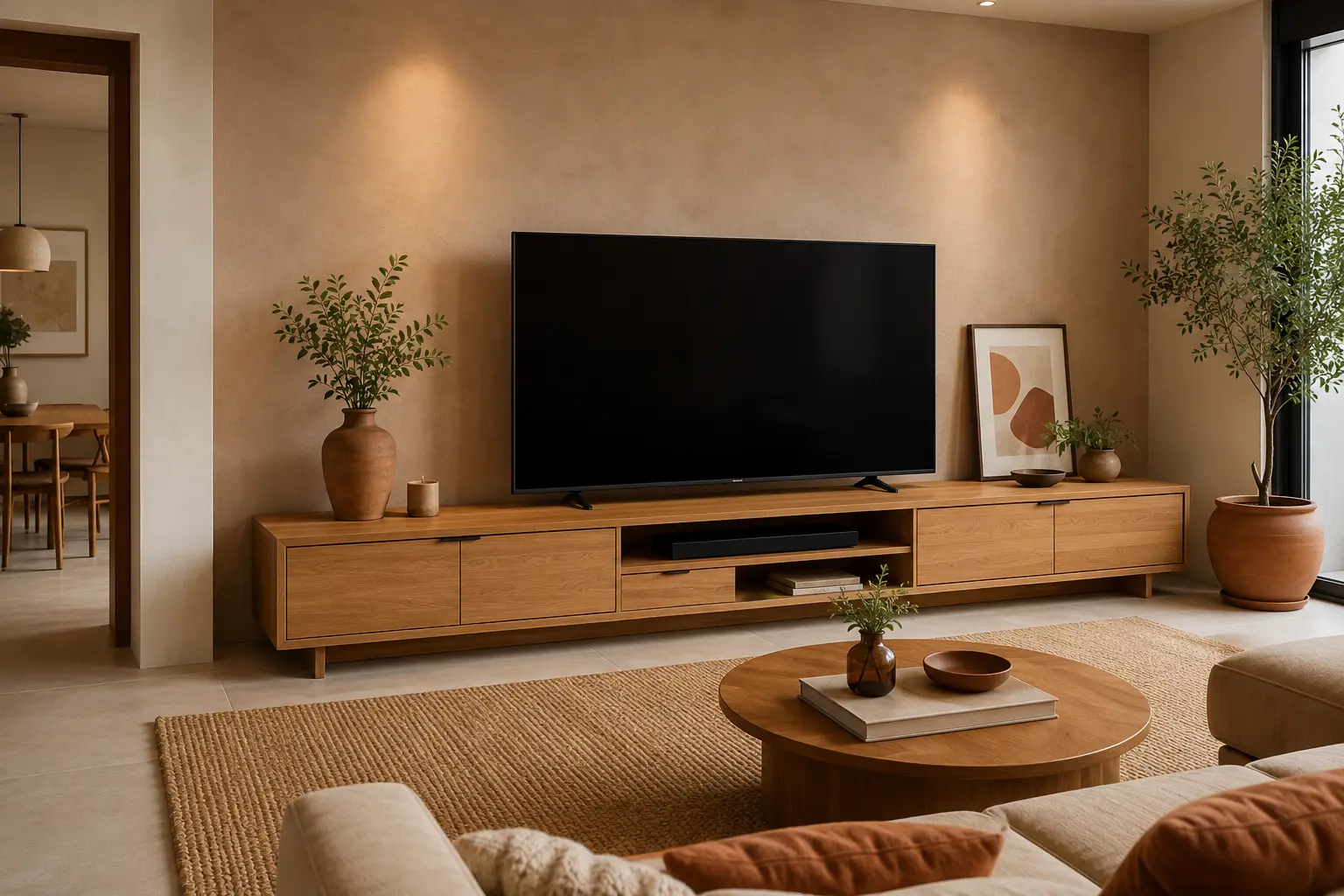
A large, modern flat-screen on an undersized cabinet creates a top-heavy look that feels unstable and can even be a tipping hazard. The "three to six-inch rule" solves this: your TV stand should be 3 to 6 inches (8–15 cm) wider than the television on each side.
Remember, TVs are measured diagonally while furniture is measured horizontally. A 65-inch television is roughly 57 inches (145 cm) wide, so it needs a media console that's at least 63 to 72 inches (160–183 cm) wide for proper balance. That extra surface also gives you room to style the console with art books, ceramics, or trailing plants.
| TV Size (Diagonal) | Approx. Actual TV Width | Recommended Media Console Width |
|---|---|---|
| 43-inch | ~38 inches (96 cm) | 44 – 50 inches (111 – 127 cm) |
| 50-inch | ~44 inches (111 cm) | 50 – 56 inches (127 – 142 cm) |
| 55-inch | ~48 inches (122 cm) | 54 – 60 inches (137 – 152 cm) |
| 65-inch | ~57 inches (145 cm) | 63 – 72 inches (160 – 183 cm) |
| 75-inch | ~66 inches (167 cm) | 72 – 84 inches (183 – 213 cm) |
| 85-inch | ~75 inches (190 cm) | 81 – 96 inches (205 – 243 cm) |
Coffee Tables and Walkways
Flow matters just as much as the focal point. Aim for 14 to 18 inches (35–45 cm) between the front edge of the sofa and the coffee table, enough room to move around without bumping shins, while keeping drinks and remotes within easy reach.
A proportionally sized coffee table also keeps the path to the sofa feeling open rather than obstructed. Beyond that, maintain clear walkways of 30 to 36 inches (76–91 cm) around the seating area so the room doesn't feel like a congested corridor.
Anchoring the Layout with the Right Area Rug

The area rug ties the seating and the television into one visual zone. A rug floating awkwardly in the middle of the room fragments the space and makes the whole layout feel accidental.
Getting the front-leg placement right is what makes a layout feel intentional rather than random: at minimum, the front legs of the sofa and any accent chairs should rest on the rug. For a deeper walkthrough of sizing rules by room dimension and sofa configuration, our rug size guide for living rooms covers this in detail. As a baseline here, the rug should extend 8 to 12 inches (20–30 cm) beyond the sides of the sofa, leaving 12 to 18 inches (30–45 cm) of bare flooring around the room's perimeter so the space still has room to breathe.
Design Strategies: Integrating the Screen into Your Decor
The last hurdle is softening the "black box" effect so the TV complements your decor instead of competing with it.
Managing Natural Light and Reflections
Your viewing experience depends heavily on lighting. Avoid placing the TV directly opposite large windows, since the glare washes out the picture and strains your eyes. Positioning it perpendicular to natural light sources works much better.
Layered window treatments help too: sheer curtains diffuse daytime light, while blackout shades support evening viewing. Adding ambient backlighting or wall sconces around the TV also reduces contrast strain in darker rooms.
The Warm Minimalist Approach to Media Walls
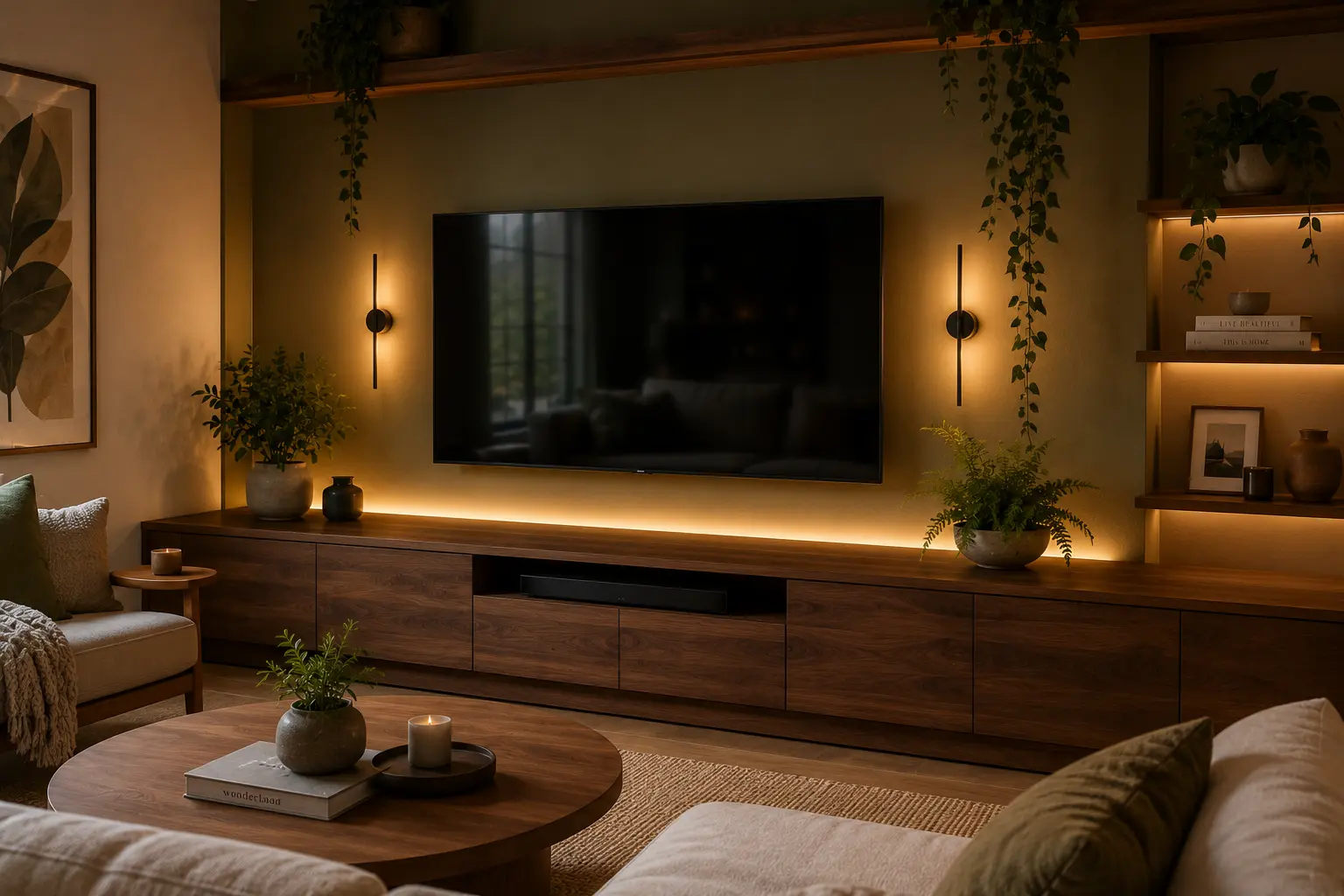
To soften the cold, technical presence of a large screen, surround it with organic textures and earthy tones. Warm minimalism lets the technology recede into a more grounded, lived-in environment.
Pair a sleek black television with a walnut or honey-toned oak media console, use woven rattan baskets for cable management, and bring in warm, grounded hues like oat or sage green through upholstery and artwork.
Frequently Asked Questions
Is it bad for your eyes to sit too close to a large TV?
With modern 4K and 8K TVs, sitting close doesn't inherently damage your eyes, since high pixel density prevents the visible pixelation that plagued older 1080p sets. That said, optometrists still recommend the 20-20-20 rule to prevent general eye fatigue: every twenty minutes, look at something at least twenty feet away for twenty seconds.
How do you arrange a living room with both a TV and a fireplace?
Mounting a TV directly above a fireplace is common but often pushes the screen too high, leading to neck strain. It's better to place the television on a console on an adjacent wall or in a built-in alcove beside the chimney breast. If mounting above the mantel is unavoidable, use a tilting wall mount angled five to fifteen degrees downward to improve the viewing angle.
Should a TV stand be wider than the TV?
Yes. For both visual balance and safety, a TV stand should be 3 to 6 inches wider than the television on each side, or 6 to 12 inches wider overall. Since TVs are measured diagonally and stands horizontally, a 65-inch TV (about 57 inches wide) needs a console around 63 to 72 inches wide.
How far should a TV be from a reclining sofa?
Measure from your head's reclined position rather than an upright posture, since that's what actually determines your distance from the screen. Leave at least 12 inches of clearance behind the sofa for the reclining mechanism, and 24 to 36 inches in front for the footrest.
What is the ideal distance between a sofa and a coffee table?
Aim for 14 to 18 inches (roughly 35–45 cm) between the front edge of the sofa and the coffee table. That spacing lets you comfortably reach a drink or remote while leaving enough legroom to stand up without bumping your shins.
How should I place an area rug in relation to my TV and sofa?
The rug should anchor your seating to the entertainment zone, with at least the front legs of the sofa and any accent chairs resting on it. Let the rug extend toward the TV but stop a few inches short of the media console, leaving a visible border of hard flooring for depth and definition.
Does my TV resolution (4K vs. 1080p) change the recommended viewing distance?
Yes, significantly. Because 4K Ultra HD has four times the pixel density of 1080p, the image stays sharp much closer up. A 1080p screen calls for sitting 1.5 to 2.5 times the screen size away, while a 4K TV allows a comfortable 1 to 1.5 times the screen size without noticing individual pixels.
What is the best height to mount a TV in a bedroom compared to a living room?
In a living room, mount the TV's center at seated eye level, typically 42 to 43 inches from the floor. In a bedroom, where you're usually lying back, that sightline shifts upward, so the screen's center should sit higher, around 55 to 65 inches from the floor, often tilted slightly downward.
Getting your TV layout right isn't really about following rigid rules. It's about building a room that works for how you live in it. Whether you're hosting movie nights with neighbors or just unwinding on your own, these spacing guidelines will help the room feel as comfortable as it looks.
Post a Comment for "Ideal Sofa to TV Distance: The Complete Guide"